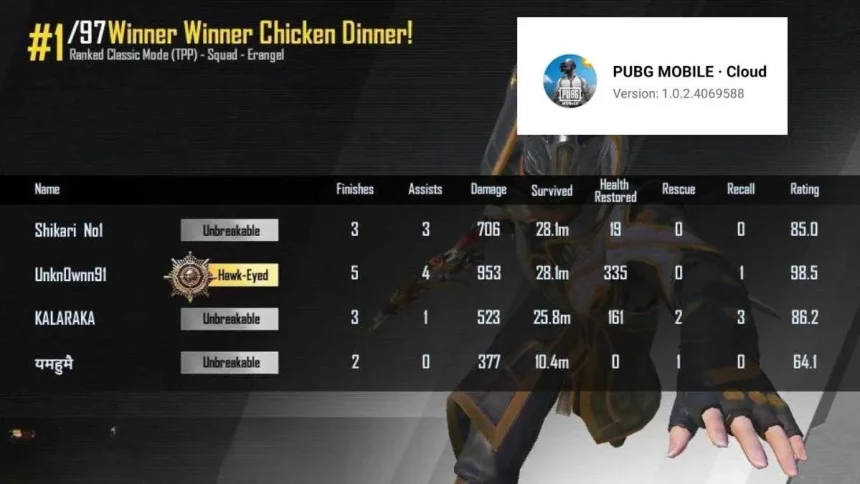
Many players want to enjoy PUBG Mobile but do not have enough space on their phone or a strong device. This is where PUBG Mobile Cloud helps. It lets you play the full game without downloading the large 2 to 3 GB file. You can even run it on simple phones or inside a web browser.
This guide explains what PUBG Mobile Cloud is and how you can start playing in a few easy steps.
What Is PUBG Mobile Cloud
PUBG Mobile Cloud is a streaming version of the game. The game does not run on your phone. Instead, it runs on a powerful online server.
Your device only shows the video of the game and sends your button taps and movements back to the server. This means your phone does not need high storage or strong hardware to enjoy smooth gameplay.
Why Players Like PUBG Mobile Cloud
- No Big Downloads
- You do not need to clear space on your phone. The cloud app is very small, or you can play directly from a browser.
Works on Low-End Phones
Since the game runs on a server, even older phones can handle high-quality graphics.

Play Instantly
There is no need to wait for updates or long installs. You can start playing in minutes.
How to Play PUBG Mobile on Cloud
There are two main ways to access the cloud version. The option you use depends on where you live and what device you have.
Method 1: Play in a Web Browser
This is the easiest and most common method. You do not need to install anything.

- Open your browser like Chrome, Safari, or Edge.
- Go to a cloud gaming website such as now.gg or similar platforms.
- Search for PUBG Mobile in the site search bar.
- Click on the play option to start the game in the browser.
You can play as a guest or log in with a social account to save your progress. Always be careful when entering your login details on third-party websites.
Method 2: Use the Official Cloud App
In some regions, there is a special PUBG Mobile Cloud app available on the Play Store.
- Open the Google Play Store.
- Search for PUBG Mobile Cloud.
- Download the small app. It is usually under 50 MB.
- Open the app and log in to start playing.
The app streams the full game, so you do not need to download any large game files.
Things to Keep in Mind
A stable internet connection is very important. Slow internet can cause lag or delay in controls.Using Wi-Fi is better than mobile data for smooth gameplay. Availability of the cloud app depends on your country.
Also Read: Pune Grand Tour 2026: Schedule, Key Facts, Where To Watch Live For Free